
Download CV
Calculator + timer for standing in the water
Client:
N/A
My role:
Product Designer
Team:
Product designer, front-end dev
Duration:
48 hours
Design impact
Usability score (SUS)
Before
N/A
After
89%
Impact
89%
Taps
Before
18
After
4
Impact
78 %
Faster setup
Before
2:32 m
After
0:23 s
Impact
85 %
Problem
Practitioners of a traditional water-standing ritual lose focus and time on a cumbersome manual process. Dressed in swimsuits, they must fish out a paper manual, measure water temperature in Fahrenheit, convert to Celsius, look up per-layer durations in a static chart, multiply by the number of layers and launch a separate timer app - all before their practice even begins.
This 6-step ritual setup can take over 3 minutes (sometimes even over 10), breaks concentration, and often discourages newcomers from trying the method at all.
My Role
As Lead Product & UX Designer, I immersed myself in the ritual, identified its pain points, and defined a mobile app vision. I used the o3 model to generate core conversion and timing logic, designed polished Figma screens, collaborated on CSS implementation via GitHub, and led 2 rounds of iterative usability sprints with 7 practitioners to validate and refine the flow.
Research
I began by practicing the method myself, then interviewed 5 experienced users and surveyed 22 more to map every manual step and frustration. Key findings:
- Temperature Conversion: 62% measure in Celsius, 38% in Fahrenheit—none convert mentally or on paper.
- High Difficulty & Time: Manual setup rated 4.7/5 in difficulty; all spend ≥2 min, and 59% >3 min.
- Major Frustrations: Wet hands, no per-layer feedback, and the complexity of lookup and multiplication steps.
- Universal Demand: 100% expressed strong interest (5/5) in an app automating conversions, lookup, and audible layer cues.

Approach & Actions
- MVP Logic & Input Screen
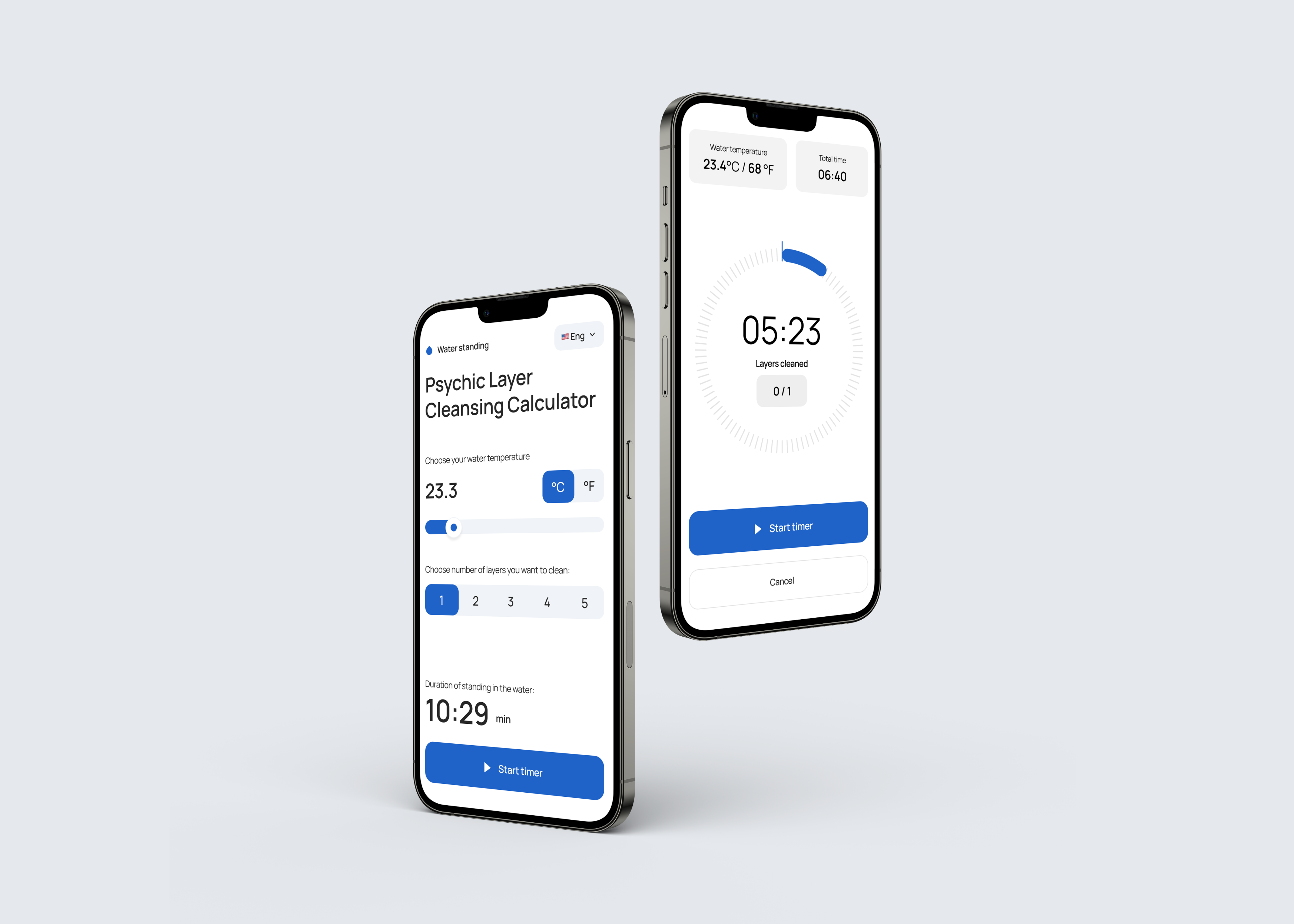
- Built a unified interface for entering water temperature (°C/°F) and selecting 1–5 layers.
- Generated the total standing duration instantly and launched a circular countdown timer with layer-tick marks.
- Heuristic-Driven Prototyping
- Slider input for temperature beat text fields for speed and error reduction.
- Added placeholder audio cues and visible layer ticks; uncovered the need for numeric labels on each tick.
- Polished UI, surfaced chosen parameters on the timer screen per Nielsen’s visibility heuristic.
- Validation & Measurement
- Participants: 12 ritual-practicing users
- Task: Set up a calculator and run the timer
- Metrics improvement:
- Time to Start (app open → timer running): ×6.65 faster
- Taps to Launch Timer: 78% fewer taps
- SUS Usability Score: 89%
Next Steps & Future Plans
- Launch a full native mobile app for iOS and Android
- Integrate AI-generated audio signals for layer completions and final timer alerts
- Expand the app to include cleansing routines for running and sun exposure
- Add a “Cycle Summary” page that recaps key metrics at the end of each session
- Introduce monetization models (e.g., premium features, subscriptions)
Take away
In product design the mission is to remove obstacles and deliver value - whether that means refactoring a user flow or, when the problem demands it, redesigning the very space the team works in.


Previous
project
Let's create something
awesome
together


Calculator + timer for standing in the water
Client:
N/A
My role:
Product Designer
Team:
Product designer, front-end dev
Duration:
48 hours
Design impact
Metric
Before
After
Impact
Usability score (SUS)
N/A
89%
89%
Taps
18
4
78 %
Faster setup
2 min 32 sec
0:23 sec
85 %
Problem
Practitioners of a traditional water-standing ritual lose focus and time on a cumbersome manual process. Dressed in swimsuits, they must fish out a paper manual, measure water temperature in Fahrenheit, convert to Celsius, look up per-layer durations in a static chart, multiply by the number of layers and launch a separate timer app - all before their practice even begins.
This 6-step ritual setup can take over 3 minutes (sometimes even over 10), breaks concentration, and often discourages newcomers from trying the method at all.
My Role
As Lead Product & UX Designer, I immersed myself in the ritual, identified its pain points, and defined a mobile app vision. I used the o3 model to generate core conversion and timing logic, designed polished Figma screens, collaborated on CSS implementation via GitHub, and led 2 rounds of iterative usability sprints with 7 practitioners to validate and refine the flow.
Research
I began by practicing the method myself, then interviewed 5 experienced users and surveyed 22 more to map every manual step and frustration. Key findings:
- Temperature Conversion: 62% measure in Celsius, 38% in Fahrenheit—none convert mentally or on paper.
- High Difficulty & Time: Manual setup rated 4.7/5 in difficulty; all spend ≥2 min, and 59% >3 min.
- Major Frustrations: Wet hands, no per-layer feedback, and the complexity of lookup and multiplication steps.
- Universal Demand: 100% expressed strong interest (5/5) in an app automating conversions, lookup, and audible layer cues.
Approach & Actions
- MVP Logic & Input Screen
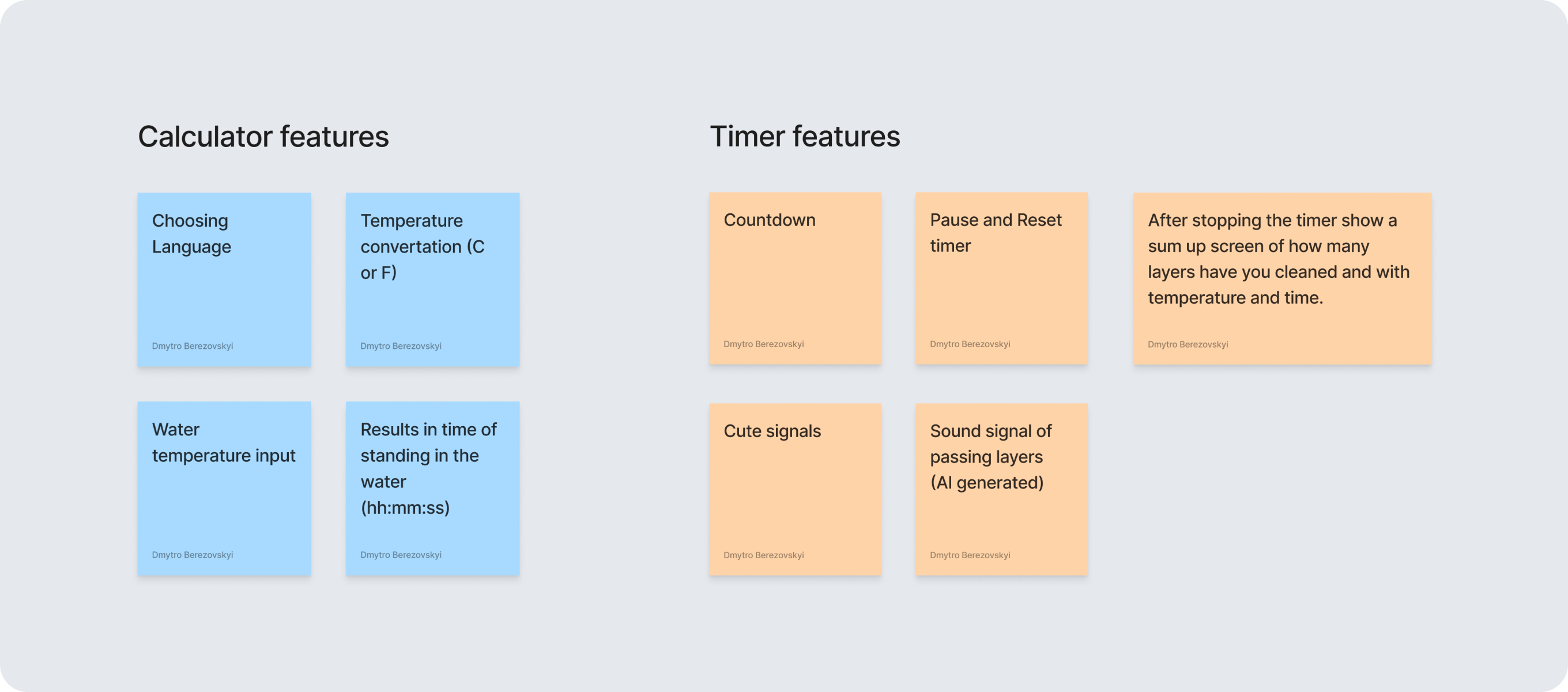
- Built a unified interface for entering water temperature (°C/°F) and selecting 1–5 layers.
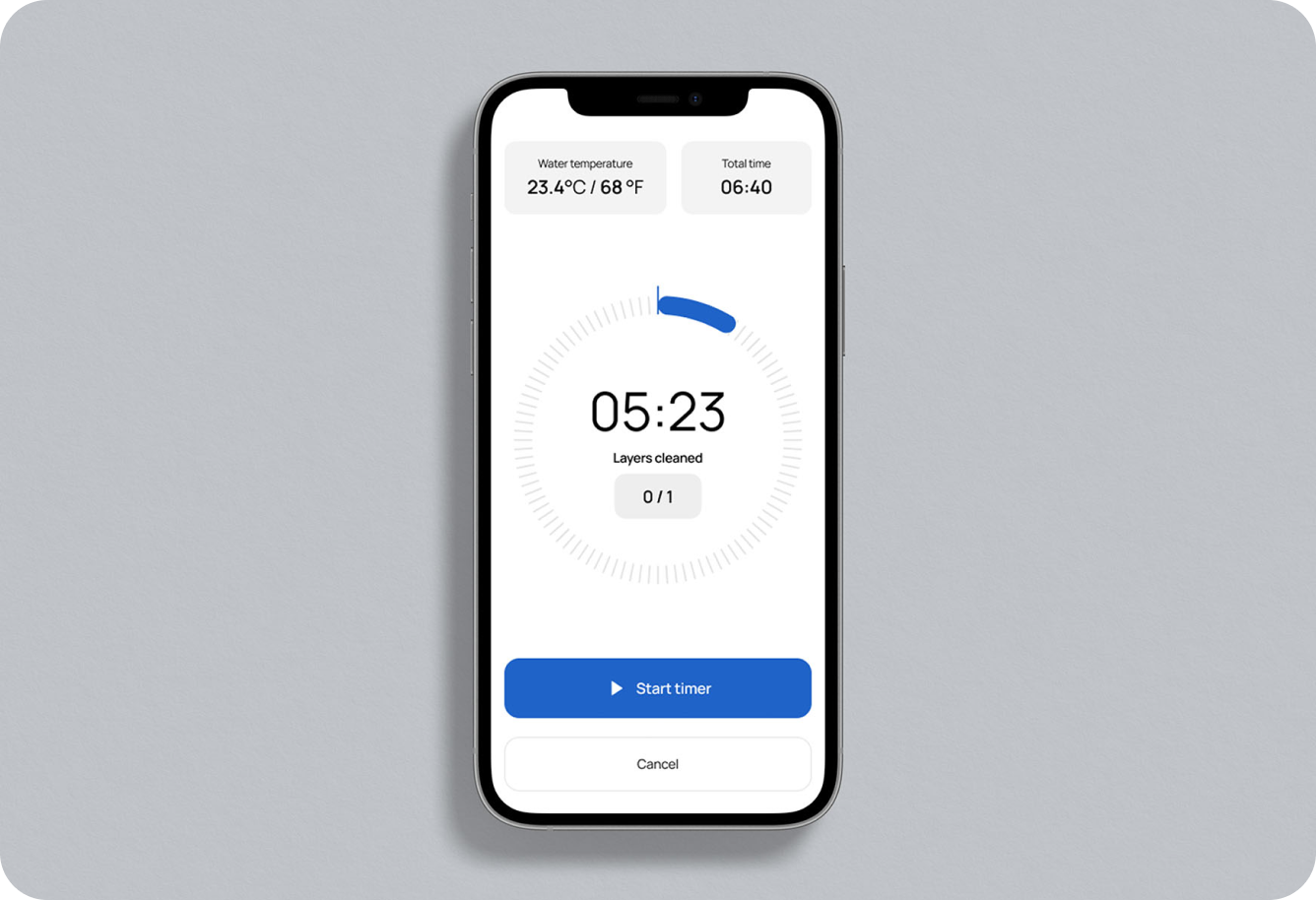
- Generated the total standing duration instantly and launched a circular countdown timer with layer-tick marks.
- Heuristic-Driven Prototyping
- Slider input for temperature beat text fields for speed and error reduction.
- Added placeholder audio cues and visible layer ticks; uncovered the need for numeric labels on each tick.
- Polished UI, surfaced chosen parameters on the timer screen per Nielsen’s visibility heuristic.
- Validation & Measurement
- Participants: 12 ritual-practicing users
- Task: Set up a calculator and run the timer
- Metrics improvement:
- Time to Start (app open → timer running): ×6.65 faster
- Taps to Launch Timer: 78% fewer taps
- SUS Usability Score: 89%
Next Steps & Future Plans
- Launch a full native mobile app for iOS and Android
- Integrate AI-generated audio signals for layer completions and final timer alerts
- Expand the app to include cleansing routines for running and sun exposure
- Add a “Cycle Summary” page that recaps key metrics at the end of each session
- Introduce monetization models (e.g., premium features, subscriptions)
Take away
Stepping beyond familiar methods and embracing new skills is key to crafting solutions that truly meet user needs.
Previous project
Let's create something
awesome
together
Calculator + timer for standing in the water
Client:
N/A
My role:
Product Designer
Team:
Product designer, front-end dev
Duration:
48 hours
Design impact
Metric
Before
After
Impact
Usability score (SUS)
N/A
89%
89%
Taps
18
4
78 %
Faster setup
2 min 32 sec
0:23 sec
85 %
Problem
Practitioners of a traditional water-standing ritual lose focus and time on a cumbersome manual process. Dressed in swimsuits, they must fish out a paper manual, measure water temperature in Fahrenheit, convert to Celsius, look up per-layer durations in a static chart, multiply by the number of layers and launch a separate timer app - all before their practice even begins.
This 6-step ritual setup can take over 3 minutes (sometimes even over 10), breaks concentration, and often discourages newcomers from trying the method at all.
My Role
As Lead Product & UX Designer, I immersed myself in the ritual, identified its pain points, and defined a mobile app vision. I used the o3 model to generate core conversion and timing logic, designed polished Figma screens, collaborated on CSS implementation via GitHub, and led 2 rounds of iterative usability sprints with 7 practitioners to validate and refine the flow.
Research
I began by practicing the method myself, then interviewed 5 experienced users and surveyed 22 more to map every manual step and frustration. Key findings:
- Temperature Conversion: 62% measure in Celsius, 38% in Fahrenheit—none convert mentally or on paper.
- High Difficulty & Time: Manual setup rated 4.7/5 in difficulty; all spend ≥2 min, and 59% >3 min.
- Major Frustrations: Wet hands, no per-layer feedback, and the complexity of lookup and multiplication steps.
- Universal Demand: 100% expressed strong interest (5/5) in an app automating conversions, lookup, and audible layer cues.
Approach & Actions
- MVP Logic & Input Screen
- Built a unified interface for entering water temperature (°C/°F) and selecting 1–5 layers.
- Generated the total standing duration instantly and launched a circular countdown timer with layer-tick marks.
- Heuristic-Driven Prototyping
- Slider input for temperature beat text fields for speed and error reduction.
- Added placeholder audio cues and visible layer ticks; uncovered the need for numeric labels on each tick.
- Polished UI, surfaced chosen parameters on the timer screen per Nielsen’s visibility heuristic.
- Validation & Measurement
- Participants: 12 ritual-practicing users
- Task: Set up a calculator and run the timer
- Metrics improvement:
- Time to Start (app open → timer running): ×6.65 faster
- Taps to Launch Timer: 78% fewer taps
- SUS Usability Score: 89%
Next Steps & Future Plans
- Launch a full native mobile app for iOS and Android
- Integrate AI-generated audio signals for layer completions and final timer alerts
- Expand the app to include cleansing routines for running and sun exposure
- Add a “Cycle Summary” page that recaps key metrics at the end of each session
- Introduce monetization models (e.g., premium features, subscriptions)
Take away
Stepping beyond familiar methods and embracing new skills is key to crafting solutions that truly meet user needs.
Previous project
Let's create something
awesome
together